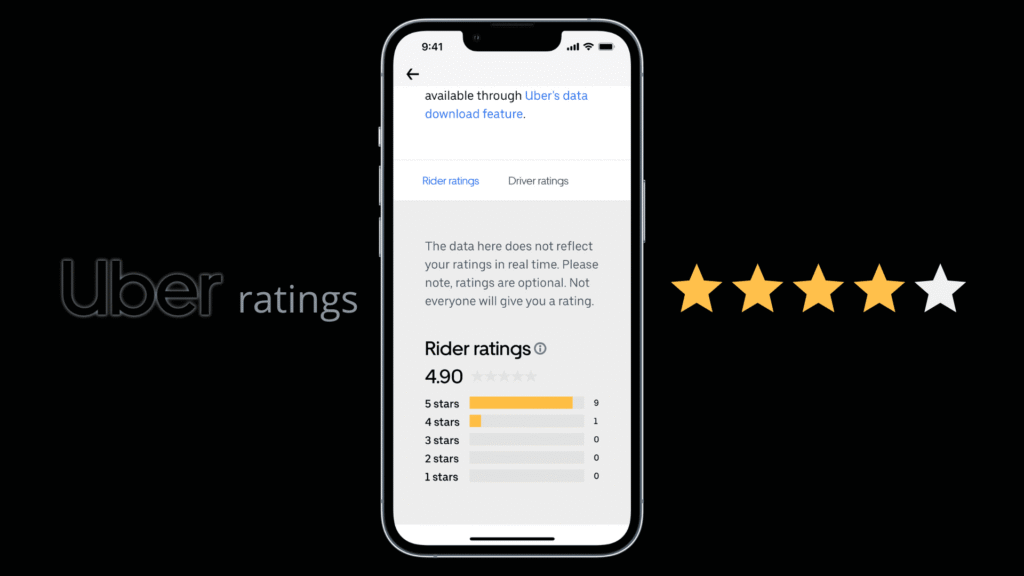

Your Uber rating matters more than you might think. It’s a quick snapshot of your ride experience and can influence how drivers approach you, how smoothly trips go, and even which trips you’re offered in busy times. If you’ve ever wondered how to see your Uber rating, you’re not alone. This guide explains where to find it, what affects it, and how to keep it high so you get the best rides possible.
Understanding the rating system
Uber uses a 1-5 star rating system based on feedback from drivers after each ride. Your average rating is a reflection of your behavior, communication, and respect during trips. While you can’t control every factor, consistent courtesy and clear communication tend to produce higher scores over time. If you’re curious about the nuances, you can learn how to see your uber rating in more detail on our page. The guidance there helps demystify fluctuations and what’s within your control.
Where to find your rating in the app
Finding your rating is usually a quick check in the mobile app. Here are the typical steps:
- Open the Uber app and sign in if needed.
- Tap your profile icon, usually located in the upper corner of the screen.
- Look for a section labeled Your Rating, Ratings, or a small badge showing your current score.
- If you don’t see it on the main profile screen, you can open a recent trip in Trips to view the rating given by that particular driver or a quick overview of your overall average.
Note that app layouts can change with updates, so if your screen looks a bit different, the rating is typically under your profile or within recent trip details. If you want a deeper explanation of where to locate your score, the linked resource above is a helpful reference.
Pro tips to maintain a high rating
Your daily behavior matters more than occasional perfect rides. Consider these practical tips to keep your rating high:
- Be punctual for pickup and communicate clearly if you’re running late.
- Confirm pickup details to avoid confusion with the driver.
- Keep conversations considerate and not overly loud; respect the driver’s space.
- Assist with loading large items when possible and keep the car clean and tidy.
- Avoid actions that can annoy drivers, such as frequent last-minute cancellations or changes to the drop-off location.
What to do if your rating drops
Everyone experiences occasional dips. If you notice a trend of lower scores, reflect on recent rides to identify patterns—perhaps you’ve been rushing drivers, speaking in a way that’s hard to understand, or leaving the car in a messy state. If you suspect a mistake, reach out to Uber Support through the app’s Help section. They can review feedback and offer guidance. Remember, the goal of ratings is to improve the ride experience for both parties, not to penalize users unfairly.
Common myths about Uber ratings
Several myths float around rider feedback. For example, some people think ratings are private or that they can’t influence the score at all. In reality, riders play a meaningful role through their behavior and communication. Another myth is that rating changes instantly after every trip; however, trends typically emerge over weeks of riding. Staying respectful and consistent is the most reliable way to keep your score healthy.
For more rider-focused tips and a broader look at ride-hailing best practices, visit the Businessstry homepage for additional insights.