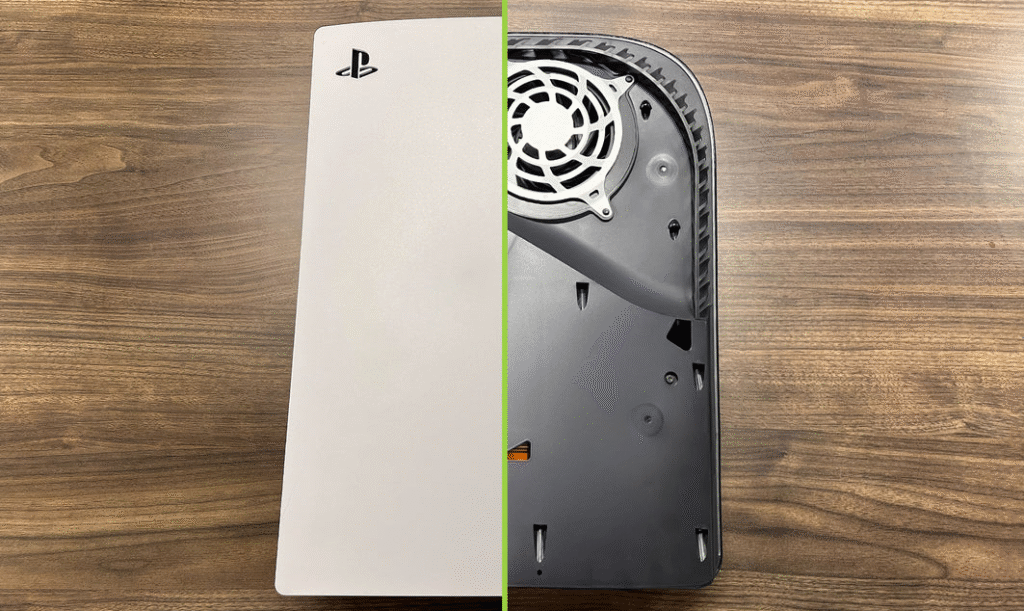

Keeping your PlayStation 5 clean isn’t just about aesthetics—it directly affects performance and longevity. Dust and grime can clog vents, trap heat, and force the fans to work harder, which leads to higher temperatures and more noise during gameplay. A regular, careful cleaning routine helps your PS5 run cooler, quieter, and more reliably, so you can focus on gaming rather than worrying about thermal throttling or unexpected shutdowns.
Why regular cleaning matters for your PS5
The PS5 is built with powerful hardware that generates a lot of heat. Over time, dust tends to accumulate around the exhaust vents and inside the air pathways. When air can’t circulate freely, the console can overheat, which can degrade performance and potentially shorten the device’s life. By cleaning the exterior and vents every few months, you maintain optimal airflow and keep fan noise at a reasonable level. Additionally, removing surface dust helps prevent particles from entering ports and slots, reducing connection issues during updates or multiplayer gaming sessions.
What you’ll need
- Microfiber cloth (lint-free)
- Compressed air canister (short bursts, held upright)
- Soft brush or paintbrush (dusting, not scrubbing)
- Isopropyl alcohol (70% or less) and cotton swabs
- Optional: lint-free wipe and a Q-tip for stubborn grime
Step-by-step: how to clean ps5 safely
- Power off completely and unplug all cables. Let the console cool for a few minutes before you begin. This reduces the risk of moisture damage and protects internal components.
- Place the PS5 on a clean, non-carpeted surface with good lighting. Create a safe workspace and keep liquids far away.
- Wipe the exterior with a dry microfiber cloth to remove loose dust. Avoid applying pressure on the glossy panels, which can show fingerprints or scratches.
- Clean the vents using short bursts of compressed air from a distance of about 4–6 inches. Keep the can upright, and don’t shake it or insert the nozzle into any openings. Let the air dislodge dust rather than forcing it deeper into the chassis.
- Follow up with a soft brush to loft dust from crevices and around the fan grill. Use gentle strokes; the goal is to loosen, not grind dust into place.
- If you notice grime around ports or in tight gaps, lightly dampen a cotton swab with isopropyl alcohol and wipe in small, controlled circles. Do not drip liquid into any ports or seams. Allow any treated areas to dry completely before reconnecting power.
- For the disc drive area on the standard PS5 with a disc slot, avoid liquids near the slot. Use a dry or slightly dampened cloth for the exterior, and a dry brush or cotton swab for the slot edge if needed. If you’re unsure, leave the interior components to a professional.
For a full, step-by-step walkthrough, you can read how to clean ps5.
Maintenance tips to keep your PS5 cleaner longer
Place your console in a well-ventilated area away from heat sources and heavy dust. Elevate the PS5 slightly to improve airflow and avoid carpet fibers that can trap dust. Schedule a light cleaning every 1–3 months depending on your environment, especially in rooms with pets or high dust levels. Consider using a dust cover when the console is not in use for extended periods. If you frequently move the console, check cables and connections for wear to prevent debris from entering ports.
Learn more from Technoloss
For more tech guides and practical home electronics care, visit Technoloss.
Regular, gentle cleaning can extend the life of your PS5 and keep it performing at peak levels. By following these steps and maintaining a clean environment, you’ll enjoy smoother gameplay and quieter operation without the guesswork.